 Egon Notebooks
Getting Started
Let's get started on your self-discovery journey!
Egon Notebooks packs are plain Markdown files. They work with any tool that opens a folder of .md files — but they are optimized for Obsidian and Logseq.
1. Choose your tool
Obsidian
A local-first knowledge base with a rich plugin ecosystem. Download at obsidian.md.
Download Obsidian ↗2. Download a Pack
Head to the Registry, pick a pack that interests you, and click the Download button. Use the tool toggle to switch between Obsidian and Logseq formats.
Or download everything at once
The Base Graph contains 100 nodes across the 14 core packs — a complete starting collection for your vault.
3. Install
Download a Pack
Go to the Registry and make sure the tool toggle is set to Obsidian. Click Download for Obsidian on any pack. You'll receive a
.zipfile.Unzip the file
Unzip the archive. You'll find a flat folder of
.mdfiles — one per node — with YAML frontmatter and prose paragraphs.Add to your vault
Drag the folder into your Obsidian vault, or use File → Open Folder as Vault if you're starting fresh.
Explore
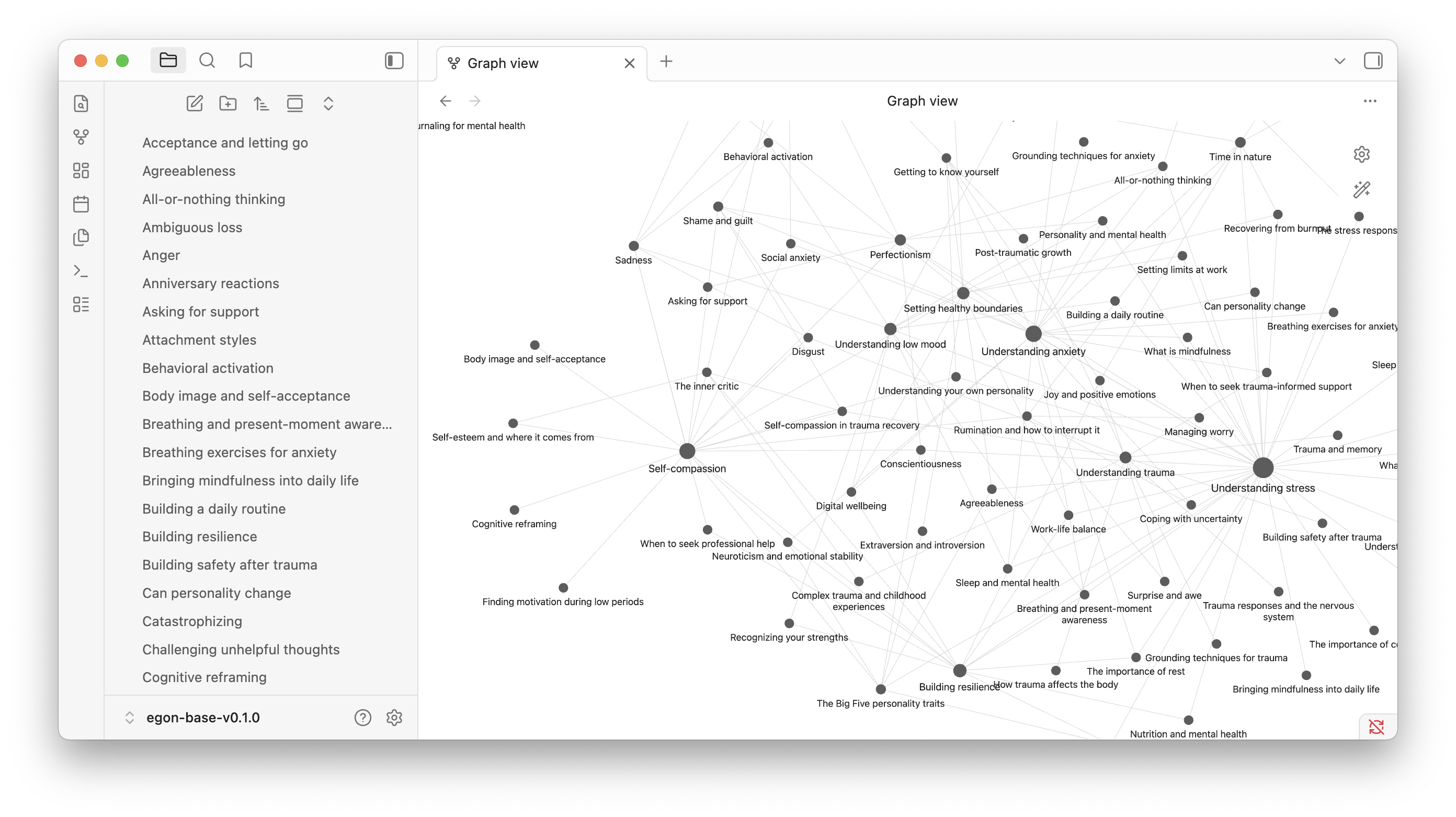
Open any node. Wiki-links connect related concepts. Switch to Graph View to see the knowledge structure at a glance.
What's in a Pack?
Each pack is a flat folder of .md files — one per concept. Nodes contain:
- A frontmatter block (YAML for Obsidian,
property::for Logseq) - 3–5 paragraphs of structured, readable prose
- Wiki-links to related concepts within the pack
- A disclaimer noting AI authorship and professional review
Next steps
- Explore the nodes and add your own annotations alongside them
- Start journaling in the daily notes - the more you journal the better the AI will understand you
- Explore the journaling support tools on the Journaling page
- Create links from your personal notes to nodes in the pack
- Return to the Egon Registry to download more packs
- Read the About page to understand the longer vision